/
Board bring up using pre-built images
Board bring up using pre-built images
- Confluence Wiki Admin (Unlicensed)
- Ashok Madugula (Unlicensed)
- Terry O'Neal (Unlicensed)
Owned by Confluence Wiki Admin (Unlicensed)
This page will cover how to bring up the ZCU102, ZC702/706, and ZedBoard using the Zynq pre-built release images.
Table of Contents
Prerequisites
- You should have a SD card with a valid boot partition. Refer this article to set up your SD card.
ZCU102
Make sure SW6 configuration is as shown in the image: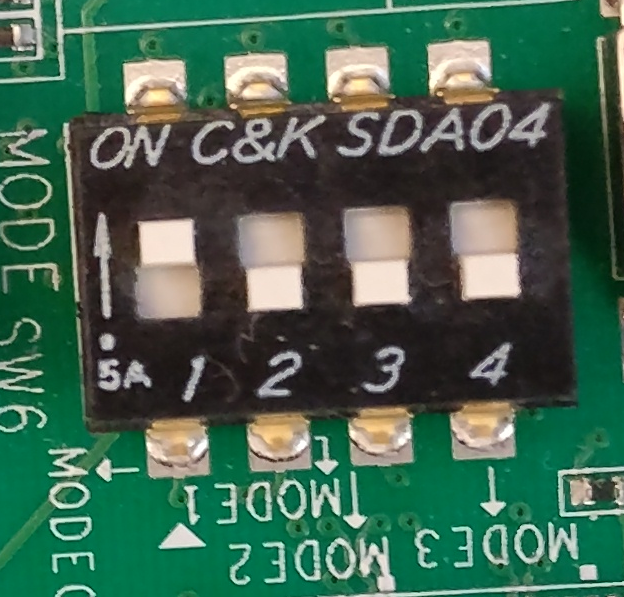 |
| switch configuration for SD boot |
For ZCU102, you will need to copy the below files on to your SD card boot partition:
- BOOT.BIN
- image.ub
- boot.scr
ZC702/ZC706
Make sure SW16 configuration is as shown in the image: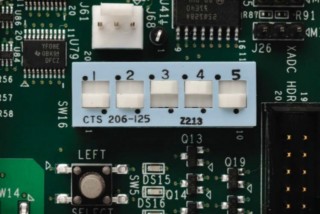 |
| switch configuration for SD boot |
For ZC702/ZC706, you will need to copy below files on to your SD card boot partition:
- BOOT.BIN
- image.ub
- boot.scr
ZedBoard
Make sure JP 7, 8, 9, 10, and 11 configuration is as shown in the image: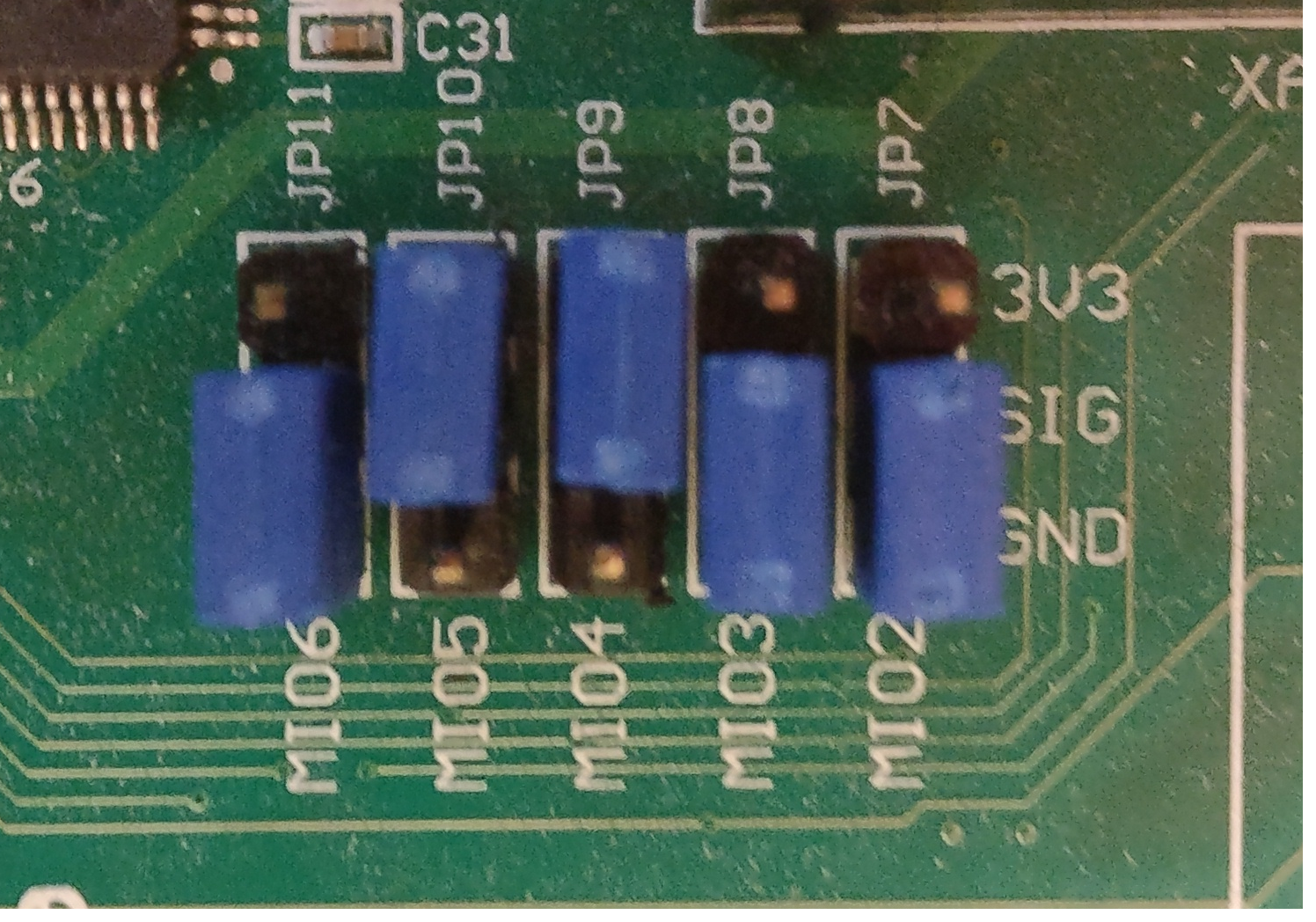
For ZedBoard, you will need to copy below files on to your SD card boot partition:
- BOOT.BIN
- image.ub
- boot.scr
Related Links
, multiple selections available,
Related content
How to format SD card for SD boot
How to format SD card for SD boot
Read with this
Boot Pre-Built Xilinx ZC-702 image
Boot Pre-Built Xilinx ZC-702 image
More like this
2024.1 Release
2024.1 Release
Read with this
Boot Pre-Built Avnet ZedBoard Image
Boot Pre-Built Avnet ZedBoard Image
More like this
2018.3 Release
2018.3 Release
Read with this
Booting Certified Ubuntu for Xilinx Devices
Booting Certified Ubuntu for Xilinx Devices
More like this
© Copyright 2019 - 2022 Xilinx Inc. Privacy Policy