Zynq UltraScale MPSoC Base TRD 2016.4 - Design Module 5
Zynq UltraScale MPSoC Base TRD 2016.4 - Design Module 5
Return to the Design Tutorials Overview.
Design Overview
This module shows how to build a Qt video application demonstrating the following features:
- Display via PS DP (DRM framework)
- Video capture from USB webcam or virtual video device (vivid) (V4L2 framework)
- GUI overlay via GPU with OpenGL (using Qt framework)

Design Components
This module requires the following components:
- zcu102_dp_only
- pmu_fw
- petalinux_bsp
- zynqmp_fsbl
- bl31
- u-boot
- kernel
- device tree (system-dm5.dts)
- rootfs
- video_lib
- video_qt2
Build Flow Tutorials
PL DP Only Design
This tutorial show how to build the DP only Vivado design that implements the minimum required to make DisplayPort work.
Create a Vivado project. Select 'es1' instead if you are targeting a rev D board with ES1 silicon.
% cd $TRD_HOME/pl/zcu102_dp_only
% vivado -s ./scripts/create_project.tcl -tclargs -platform zcu102 -silicon es2
- Implement the design and generate a bitstream
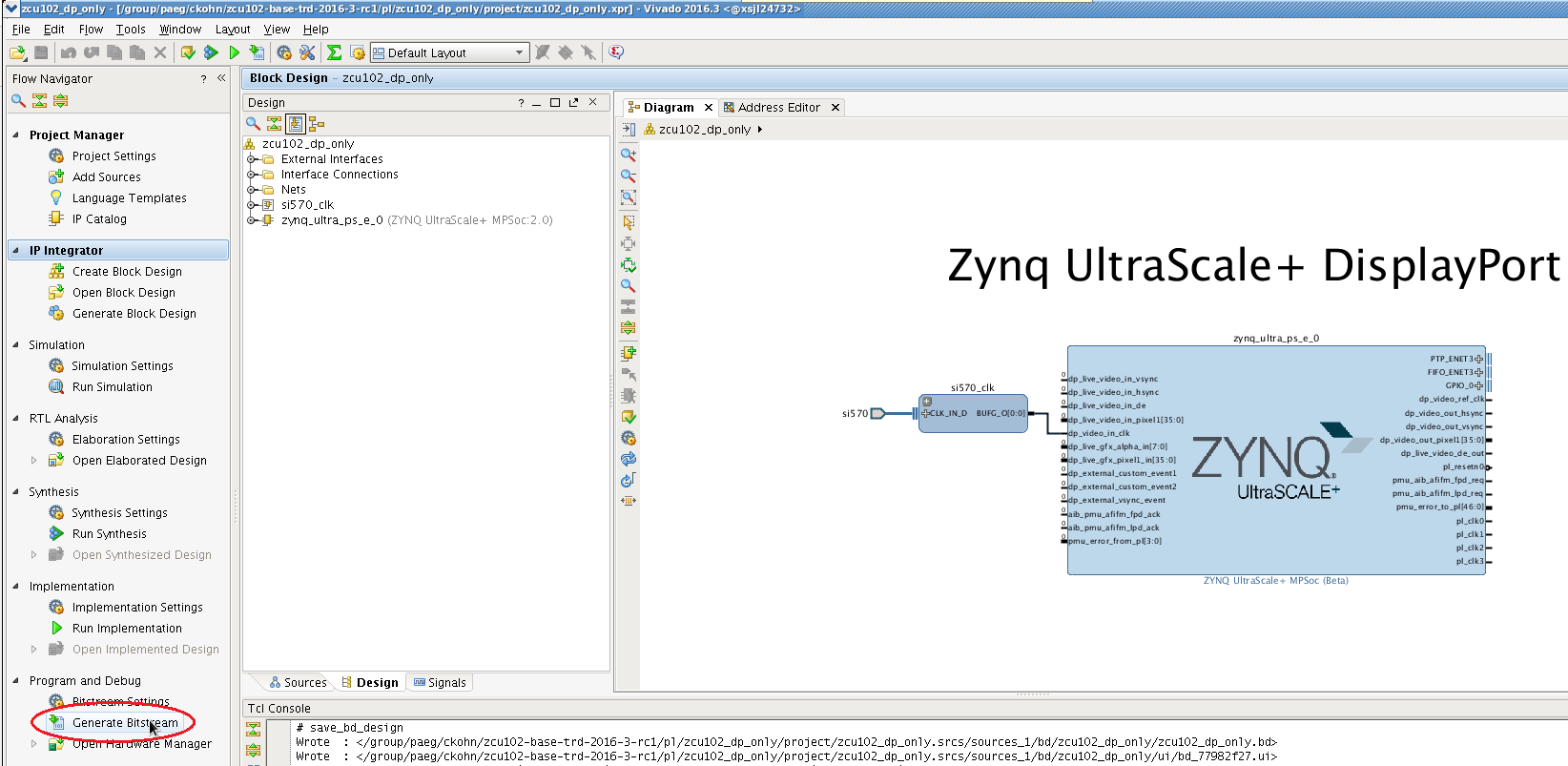
Copy the generated bitstream to the PetaLinux directory or alternatively use the pre-built bit file that is already bundled with the PetaLinux BSP.
% cp -f project/zcu102_dp_only.runs/impl_1/zcu102_dp_only_wrapper.bit $TRD_HOME/apu/petalinux_bsp/images/linux
PMU Firmware
Please refer to design module 1 - PMU firmware for instructions or skip this step if you have built the PMU firmware in a previous module.
PetaLinux BSP
This tutorial shows how to build the Linux image and boot image using the PetaLinux build tool.
The petalinux-config step can be skipped if this was already done in a previous module.
% cd $TRD_HOME/apu/petalinux_bsp
% petalinux-config --get-hw-description=./hw-description --oldconfig
Select the device-tree matching design module 5 and build all Linux image components. If you have run petalinux-build in a previous module, the build step will be incremental.
% cd subsystems/linux/configs/device-tree
% cp system-dm5.dts system-top.dts
% petalinux-build
% cd -
Create a boot image.
% cd images/linux
% petalinux-package --boot --bif=dm5.bif --force
Copy the generated boot image and Linux image to the dm5 SD card directory.
% mkdir -p $TRD_HOME/images/dm5/bin
% cp autostart.sh BOOT.BIN image.ub $TRD_HOME/images/dm5
Video Qt Application
This tutorial shows how to build the video library and the video Qt application.
Set up the Qt environment and generate a Makefile for the Qt project. Make sure the TRD_HOME and PETALINUX environment variables are set before running this step.
% cd $TRD_HOME/apu/video_app/video_qt2
% source qmake_set_env.sh
% qmake video_qt2-dm5.pro -r -spec linux-oe-g++
Create a new XSDK workspace.
% cd ..
% xsdk -workspace . &&
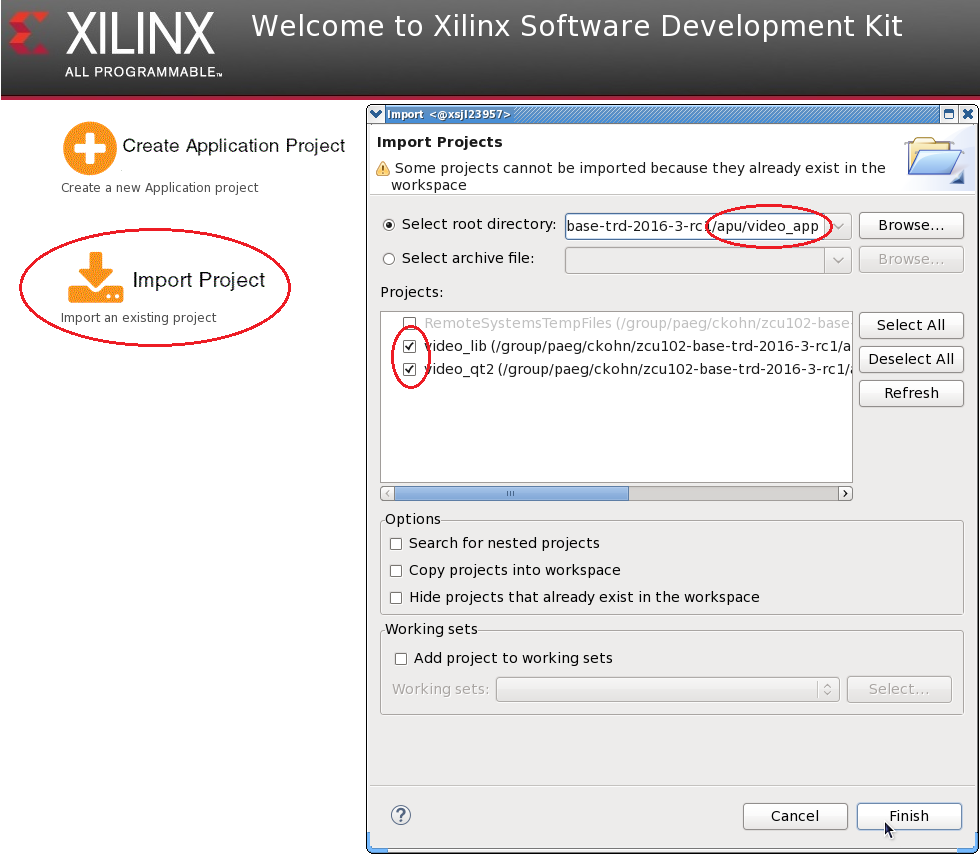
- Click 'Import Project' from the welcome screen, browse to the current working directory and make sure both the video_lib and video_qt2 projects are selected. Click finish.
- Right-click the video_lib project and select 'C/C++ Build Settings'. Navigate to 'Symbols' and remove the 'WITH_SDSOC' symbol from the defined symbols panel by clicking the delete icon with the red X.

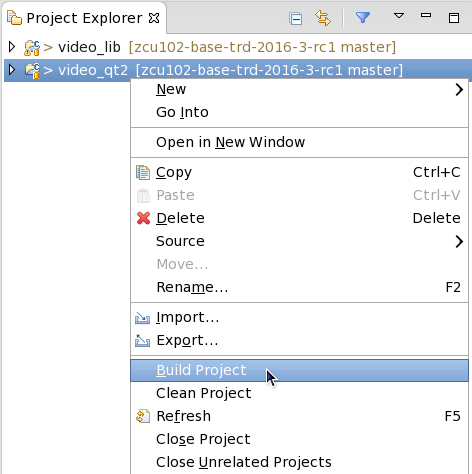
- Right-click the video_qt project and click 'Build Project'.
Copy the generated video_qt2 executable to the dm5 SD card directory.
% cp video_qt2/video_qt2 video_qt2/run_video.sh video_qt2/video_qt2_wrap.sh $TRD_HOME/images/dm5/bin/
Run Flow Tutorial
- See here for board setup instructions.
- Copy all the files from the $TRD_HOME/images/dm5 SD card directory to a FAT formatted SD card.
- Power on the board to boot the images; make sure INIT_B, done and all power rail LEDs are lit green.
- After ~30 seconds, the display will turn on and the application will start automatically, targeting the max supported resolution of the monitor (one of 3840x2160 or 1920x1080 or 1280x720).
Upon application exit, use the below login and password to log into the framebuffer or serial console:
root@Xilinx-ZCU102-2016_3 login: root
password: root
- The SD card file system is mounted at /media/card
- To re-start the TRD application type run_video.sh
- The user can now control the application from the GUI's control bar (bottom) displayed on the monitor.
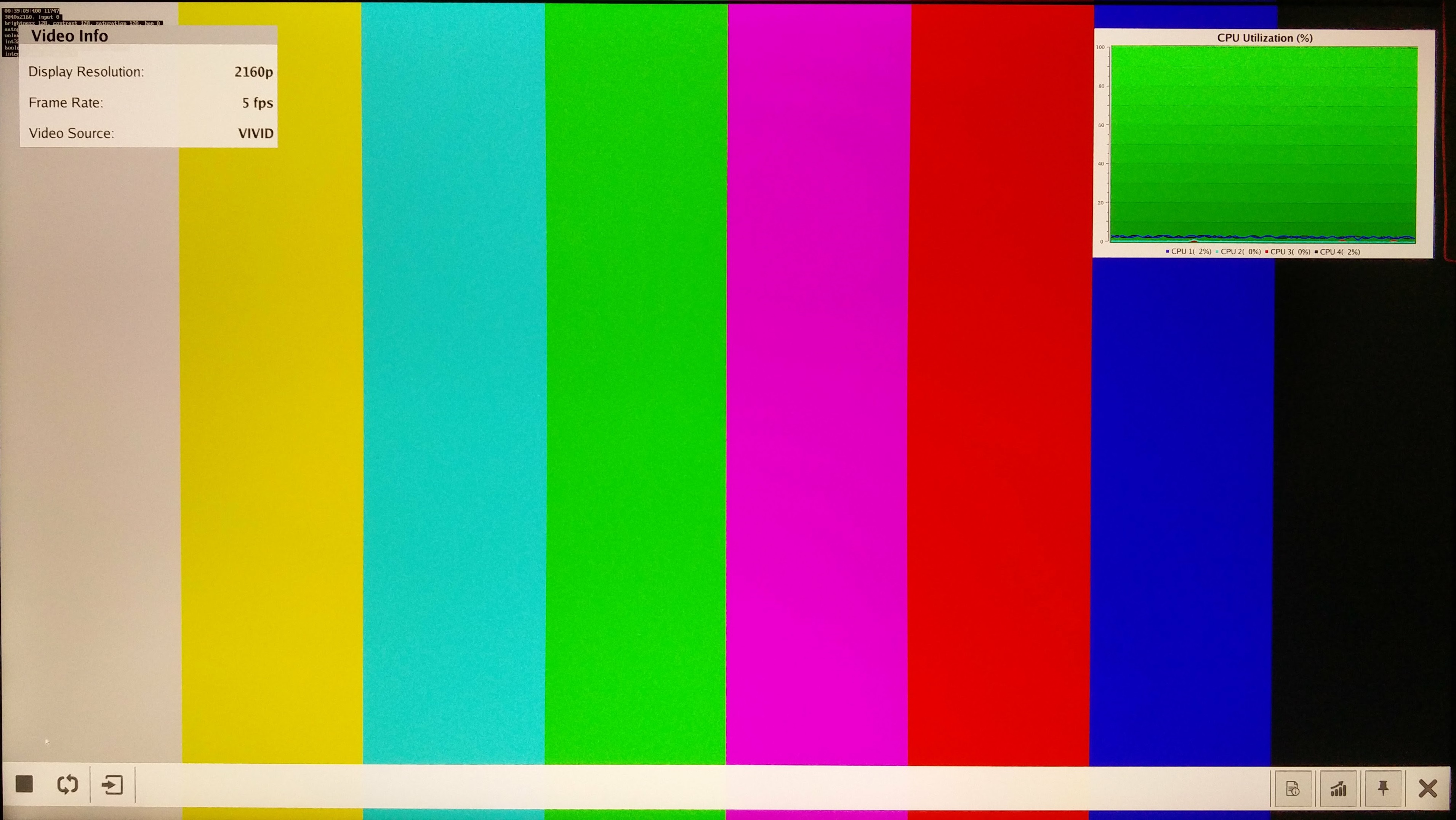
- The following video sources are available:
- Virtual Video Device (VIVID): emulates a USB webcam purely in software
- USB Webcam (UVC): using the universla video class driver
- The video info panel (top left) shows essential settings/statistics.
- The CPU utilization graph (top right) shows CPU load for each of the four A53 cores.
© Copyright 2019 - 2022 Xilinx Inc. Privacy Policy